Introduction: The "Identity Passport" of the Digital World
If you are engaged in TikTok operations, cross-border e-commerce, overseas ad campaigns, or web data collection, proxy IPs are essential underlying network tools you interact with daily.
However, beginners entering the industry are often overwhelmed by marketing jargon thrown around by suppliers—such as "US Native Residential IP," "Dedicated Static IP," or "Broadcast IP". To make matters worse, different vendors frequently label the exact same type of IP with varying terminology, leaving newcomers thoroughly confused.
From a technical standpoint, these categories are not mysterious at all. In this guide, we will break down these concepts in plain language based on mainstream proxy types, helping you understand what each classification represents and which solution best fits your business needs.
I. Classification by "IP Origin": Who Is the IP Registered To?
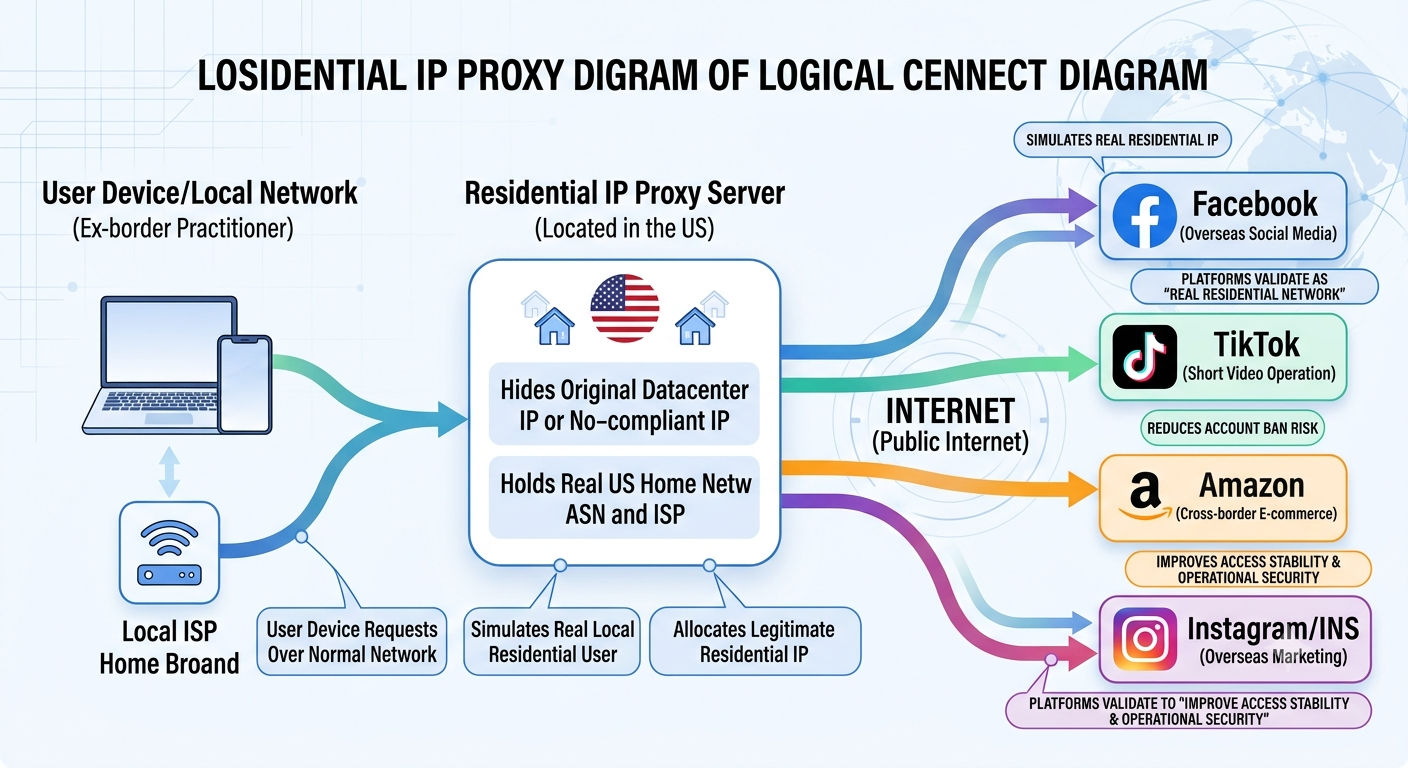
1. Residential IP: The "Citizen ID" of the Internet
- Technical Principle: Residential IPs are allocated by residential broadband Internet Service Providers (ISPs, such as Comcast and AT&T in the US, or SoftBank in Japan) to regular households.
- Core Advantages: In the eyes of platforms like Facebook, TikTok, and Amazon, devices using residential IPs appear like regular users browsing from home. Consequently, they carry high trust scores and present minimal risk of triggering security controls.
- Ideal Scenarios: Highly suitable for social media account nurturing, long-term cross-border e-commerce store management, ad campaigns, and other scenarios requiring high environmental credibility.
- Drawbacks: Higher cost and relatively limited resource availability. Using residential IPs for routine data collection or API debugging is an unnecessary over-allocation of resources.
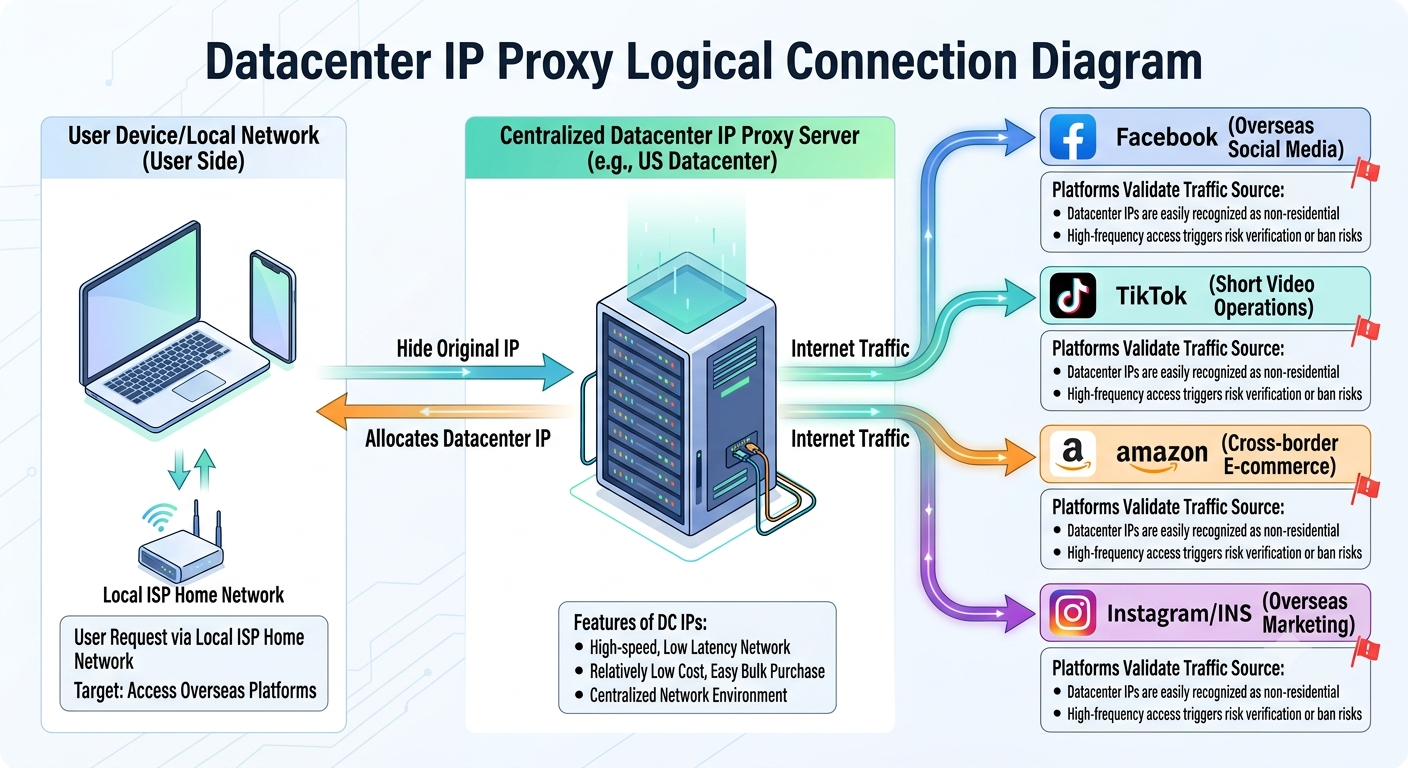
2. Datacenter IP: The High-Speed, Affordable "Corporate Badge"
- Technical Principle: Datacenter IPs originate from cloud servers or data centers (such as AWS, Google Cloud, Azure, etc.).
- Core Advantages: Large network bandwidth, high access speeds, strong stability, low cost, and support for bulk acquisition.
- Ideal Scenarios: Well-suited for automated testing, web crawlers, SEO data scraping, and API calls.
- Drawbacks: Easily flagged by target websites as "server traffic". Using them directly for managing social media accounts under strict risk controls will likely trigger additional platform security checks or bans.
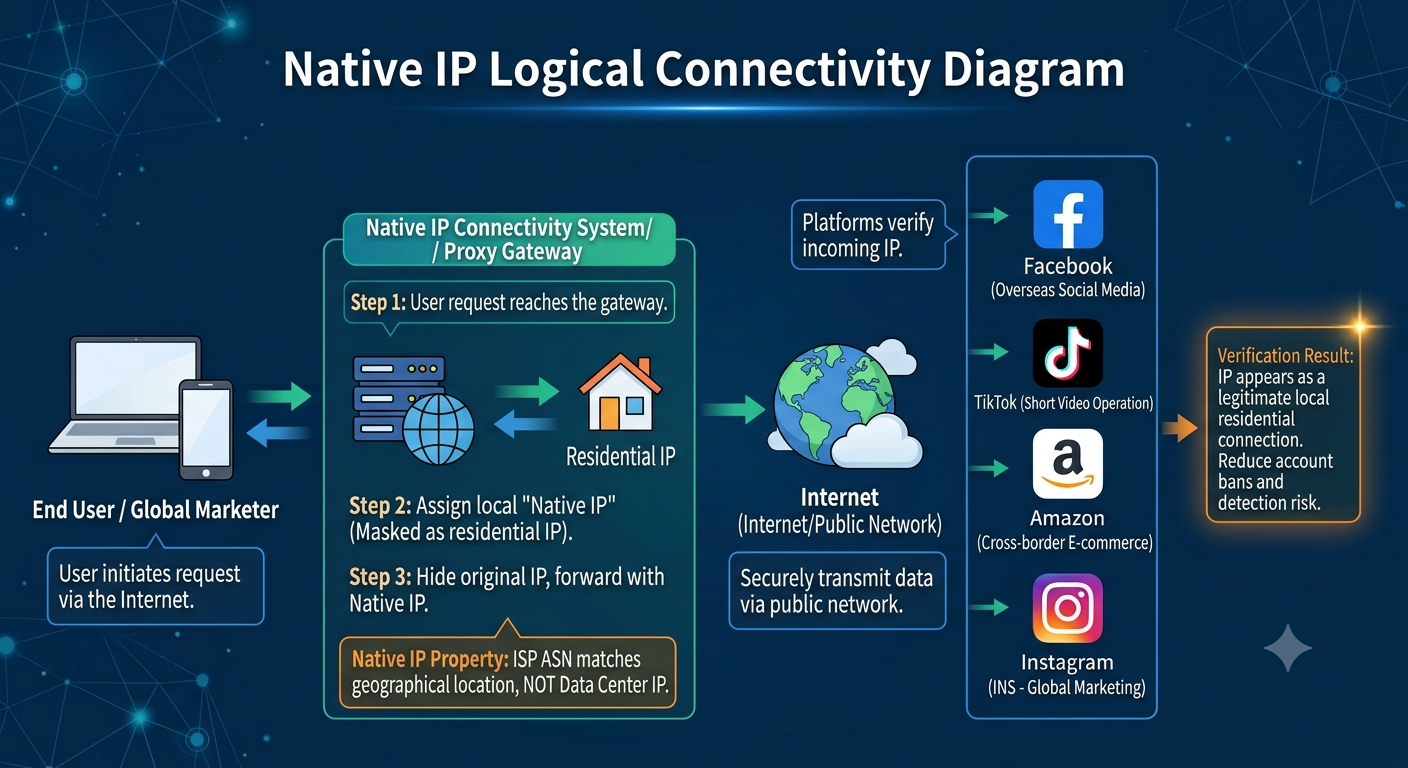
3. Native IP: The Most Misunderstood Marketing Term in the Industry
- Concept Clarification: "Native IP" is not a separate technical category of IP; rather, it describes the authenticity of the network exit environment.
- Technical Attributes: It typically refers to an IP whose registration location, Autonomous System Number (ASN), and geographical attributes match the actual exit ISP, belonging fully to the local carrier.
- Industry Reality: Proxy vendors define "Native" inconsistently across the industry. Some so-called native IPs are essentially residential or ISP IPs in practice.
- Expert Advice: Do not blindly trust the term "Native" when purchasing. Focus instead on the specific network source, ISP details, and whether it aligns with your actual business requirements.
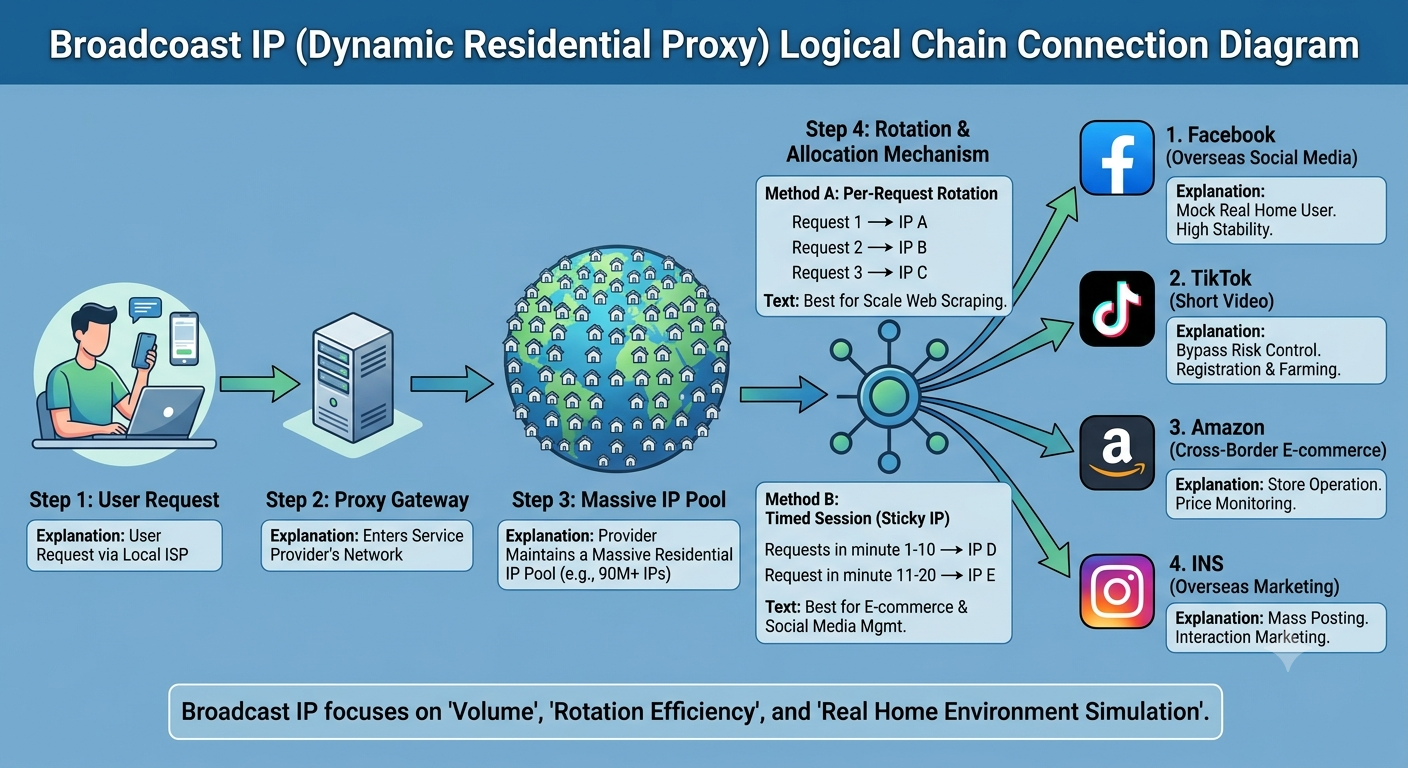
4. Broadcast IP (Dynamic Residential Proxy): The "Shared Pool" for High Rotation Efficiency
- Concept Clarification: "Broadcast IP" in the proxy industry does not refer to the broadcast address concept in computer networking; rather, it is an established colloquial term in the field.
- Technical Attributes: The provider maintains a massive residential IP pool and continuously assigns IPs through a rotation mechanism, giving users a fresh exit IP with each request or connection.
- Core Advantages: Vast IP resource pool size, cost-effective pricing, and support for high-frequency automatic rotation.
- Ideal Scenarios: Suitable for web scraping, price comparison, SEO monitoring, AI search testing, and other data-driven tasks requiring frequent IP changes.
- Unsuitable Scenarios: Due to frequent IP changes, it should strictly never be used for managing accounts on Facebook, TikTok, or other platforms requiring persistent logins.
II. Classification by "Allocation & Usage Mode": How Is the IP Delivered to You?
Once you understand where IPs originate, let's examine how they are allocated and utilized.
1. Static IP vs. Dynamic IP
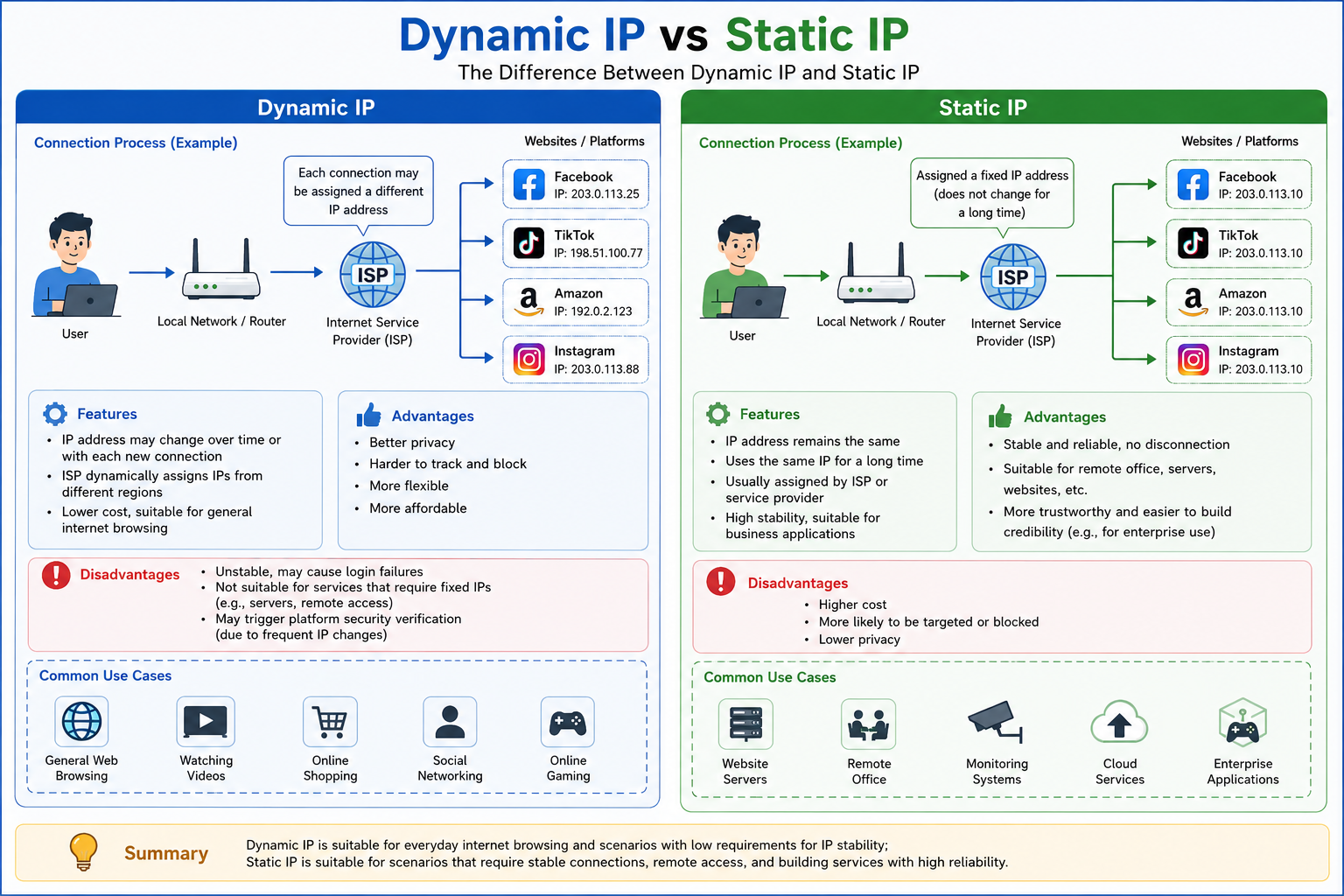
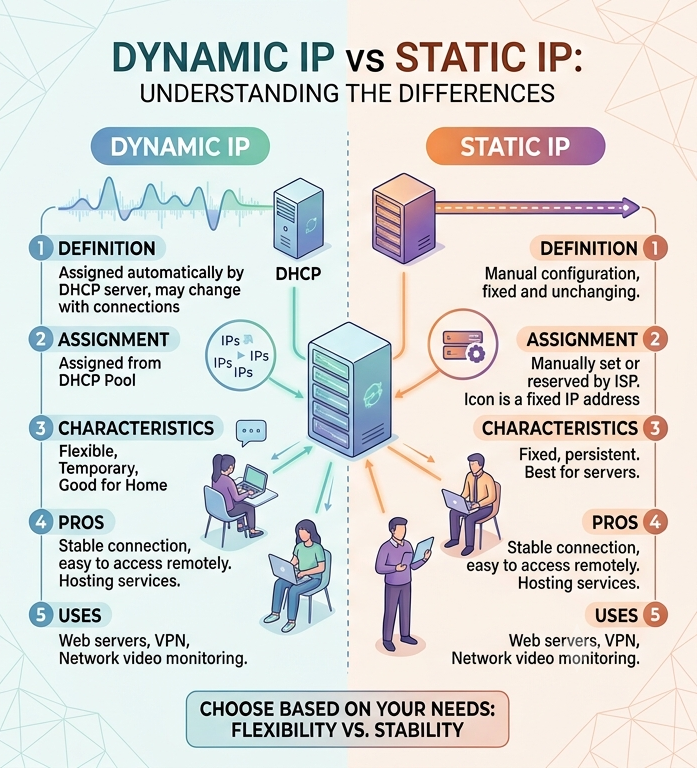
- Static IP: The IP address remains fixed and unchanged over an extended period. This minimizes changes to the login environment, making it ideal for long-term account management and e-commerce store operations.
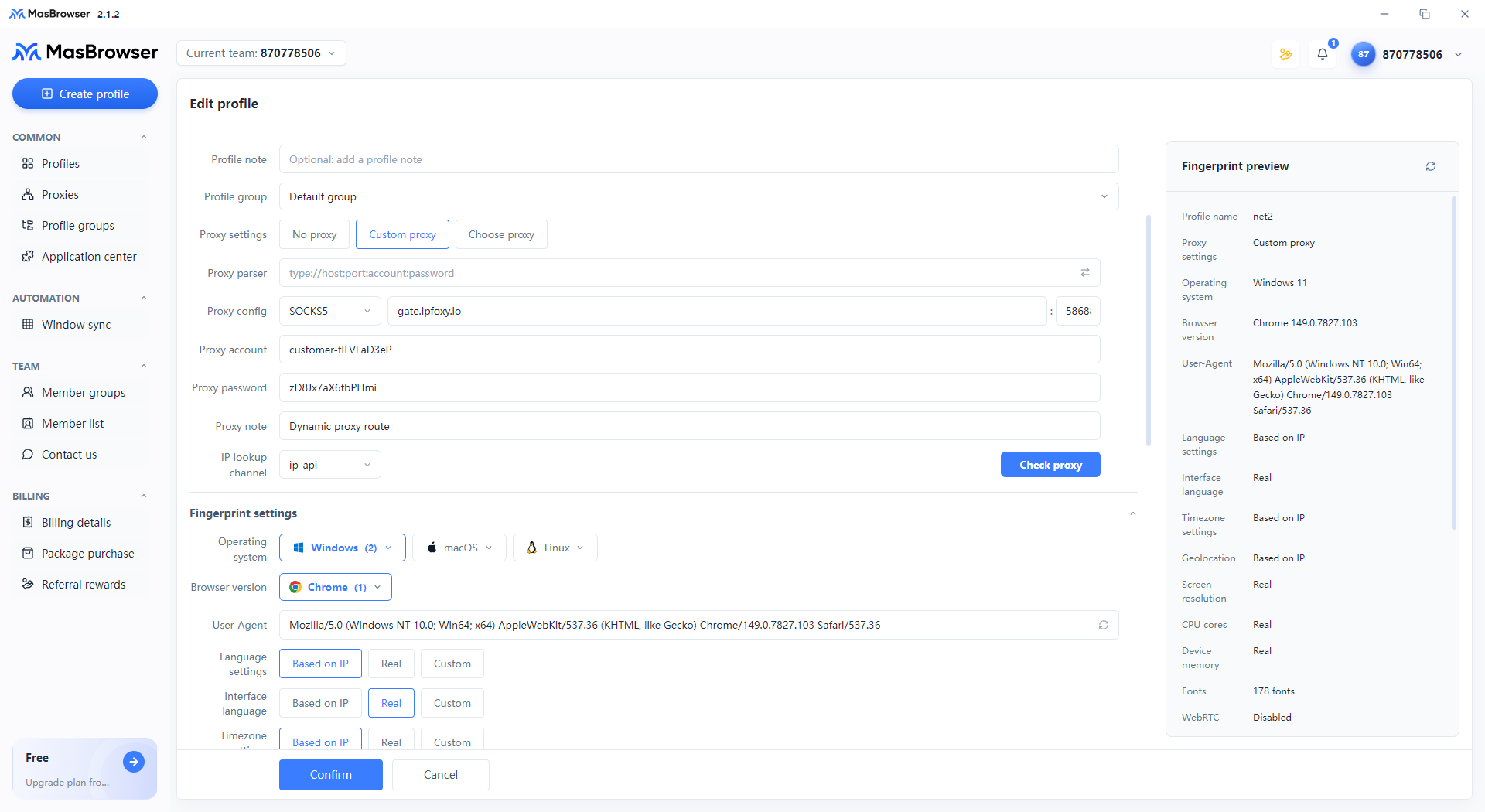
- Dynamic IP: The IP automatically switches according to set time intervals or connection rules. It is designed for bulk data collection tasks requiring continuous IP rotations.
- Selection Rule: The decision hinges on whether your business needs to maintain the "same online identity" over time.
2. Dedicated IP vs. Shared IP
- Dedicated IP: Exclusively used by a single user. It isolates your operations from bad neighbor behavior by other users, keeps IP reputation clean, and is optimal for high-value accounts and advertising campaigns.
- Shared IP: Multiple users share the same IP pool simultaneously. It is extremely low-cost and suitable for general web browsing or one-time data collection.
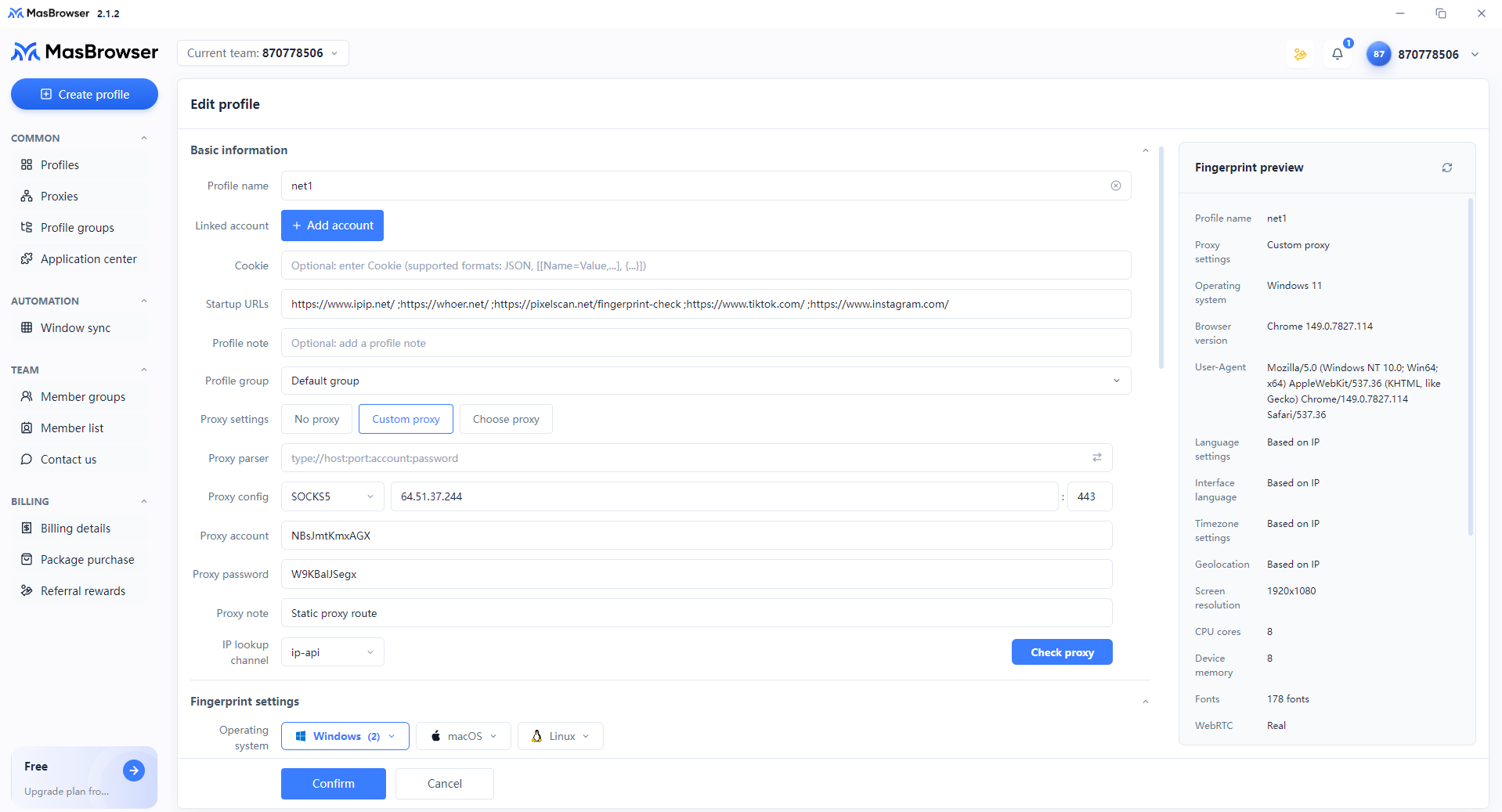
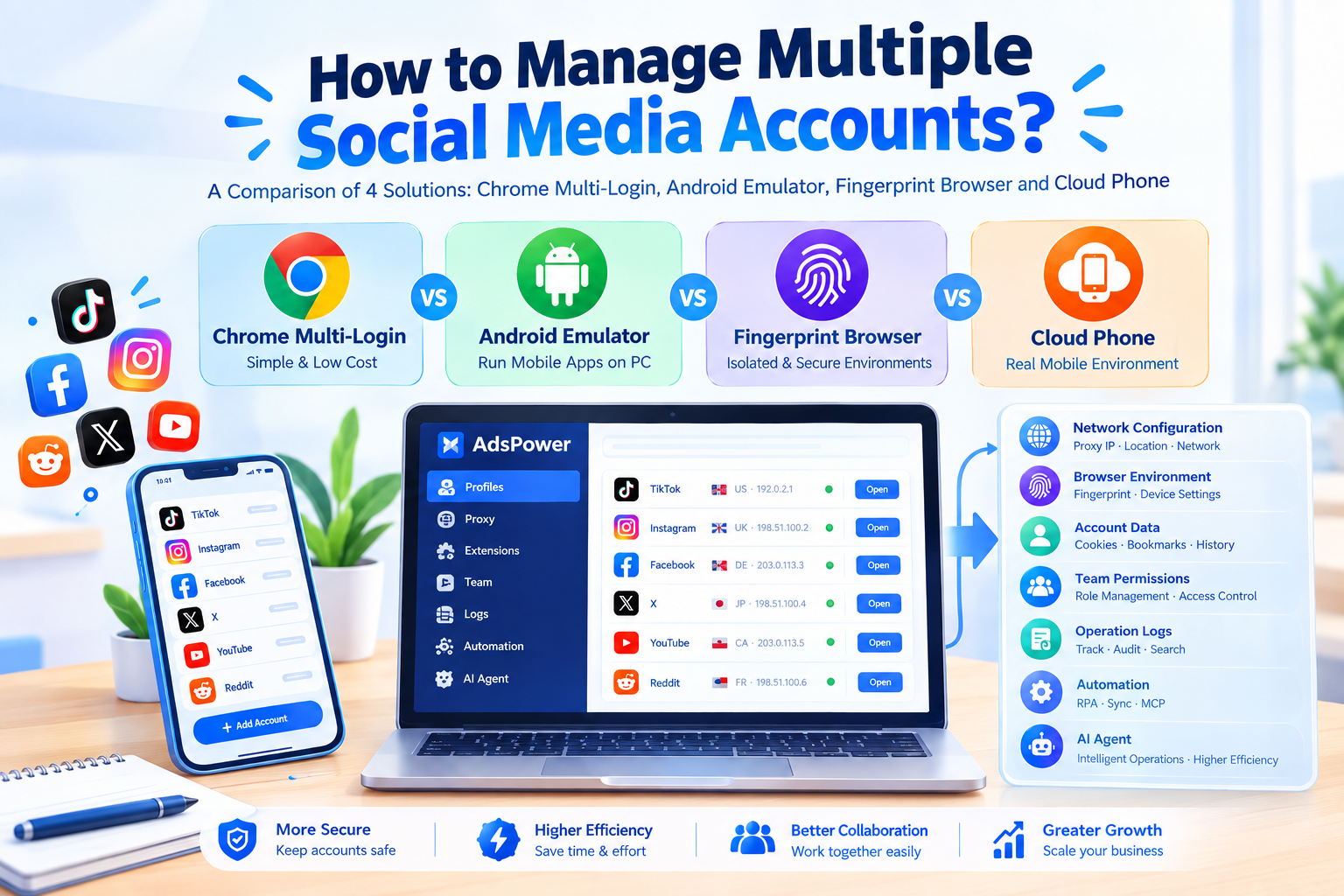
- Configuration Advice: If you are using an antidetect browser, you can configure and manage proxies directly within the software. For instance, platforms like AdsPower integrate with major proxy providers, supporting one-click binding between proxies and browser profiles to streamline setup.
III. Technical Insight: Why Can You Still Get Banned Even with "High-Quality IPs"?
A common misconception among beginners is that purchasing premium residential or native IPs guarantees total account safety.
In reality, modern risk management systems assess user identity using multi-dimensional modeling. Beyond IP addresses, platforms strictly inspect your browser fingerprints, including Cookies, local storage, system timezone, language settings, Canvas fingerprinting, WebRTC leaks, and hardware signatures.
- A Classic Misconfiguration Example: If your IP indicates a location in the US or Europe, but your browser language is set to Chinese, system timezone to Beijing time, or multiple accounts share the exact same browser environment, target platforms will detect the mismatch and flag your accounts—regardless of how clean the IP itself is.
The Optimal Solution: "Proxy IP + Antidetect Browser"
- Proxy IP: Provides a stable, credible network exit point.
- Antidetect Browser (e.g., MasBrowser): Creates isolated browser profiles for each account, ensuring that fingerprints, timezone, language, and hardware details match the IP location perfectly.
- Efficient Synergy: Combined with window synchronization and RPA automation features in tools like MasBrowser, you can perform batch account warm-up and automated tasks, establishing a continuous and secure online identity.
Summary & Selection Recommendations
When choosing proxy IPs, there is no absolute "good" or "bad"—only what is "suitable" or "unsuitable" for your specific use case:
- Account Operations / Cross-Border E-Commerce / Ad Campaigns ➔ Prioritize Residential IPs / Dedicated Static IPs, paired with an antidetect browser (such as MasBrowser) for strict environment isolation.
- Data Scraping / Crawlers / SEO Monitoring ➔ Prioritize Datacenter IPs / Dynamic Broadcast IPs to maximize concurrency and cost efficiency.
Understanding your actual business requirements and aligning them with a matching online identity is essential for smooth overseas operations. New users registering and downloading MasBrowser can also claim free browser profile trials to test and experience the environment.
Try masbrowser fingerprint browser now




0 条评论